Heylo makes it seamless to join a group. When joining a group on Heylo, members are set up for success in seconds. Here is the onboarding experience for new members:
- [Optional] Sign group waiver
- Receive a welcome message from the group leader
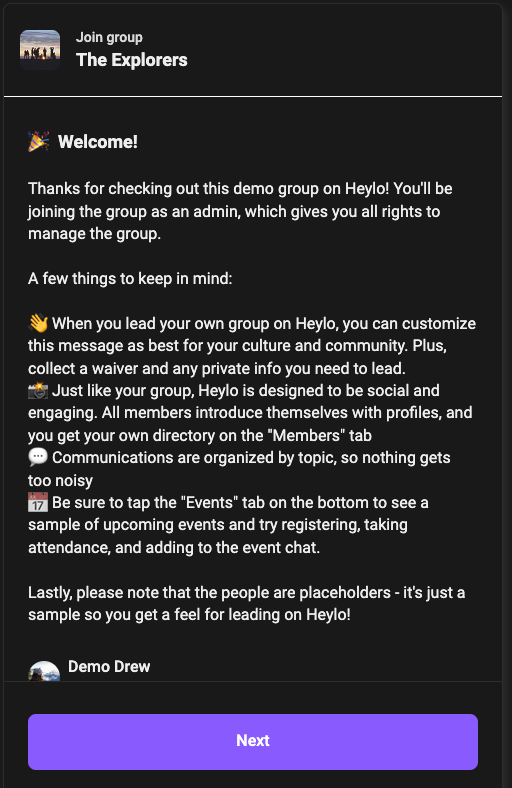
- Complete brief profile
- Join group chats
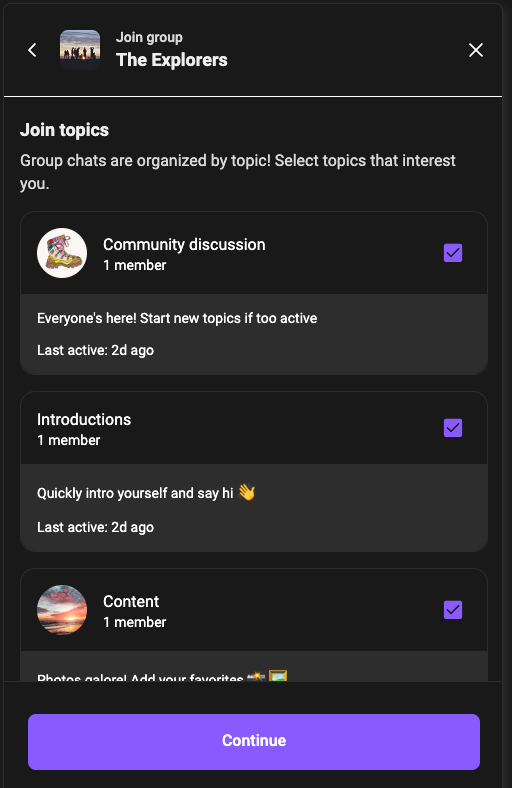
- Join events
 [Optional] If the group collects mandatory membership dues, complete payment
 [Optional] If the group collects
 That’s it! New members are automatically added to the member directory and can start to see events, communications, and other members with profiles.
To join a group on Heylo, search by the name of the group. Search is limited to just the group name. Groups can also be listed as private on Heylo. Private groups require a specific invite link to join and cannot be searched.
Members who join a group can see groups that other members belong to. Groups that are not private are also listed on members' profiles. Groups that a member is connected to are listed in “Discover groups” in the top left of Heylo.